
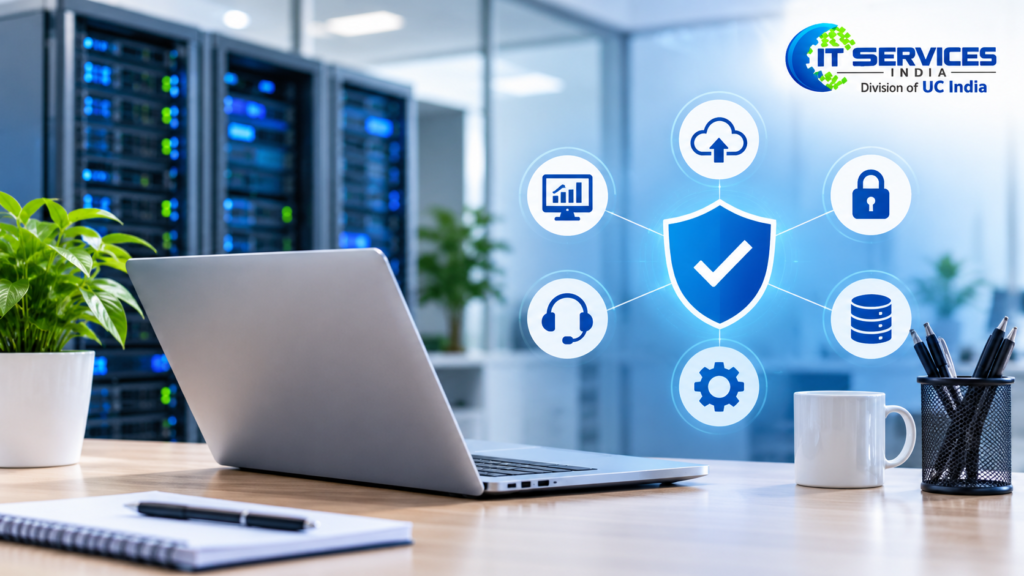
Technology plays an important role in almost every business today. From emails and customer data to accounting software, cloud storage, and daily communication, IT systems help businesses operate smoothly.
But what happens when your server suddenly stops working? What if employees cannot access important files or your business faces a cybersecurity issue? Even a small technical problem can interrupt productivity and cost your company valuable time.
This is where an IT managed services provider can help. Instead of waiting for something to break before calling technical support, businesses can work with an experienced IT team that continuously monitors, maintains, and manages their technology.
Whether you run a small business or a growing company, understanding managed IT services can help you make better decisions about your IT infrastructure, security, and long-term business operations.
What Is an IT Managed Service Provider?
An IT managed service provider (MSP) is a company that manages and maintains some or all of another business’s IT systems under a monthly or annual service agreement.
Instead of hiring a complete in-house IT department, businesses can outsource their technology management to an experienced team of IT professionals.
An MSP typically provides:
- Computer and network monitoring
- Server monitoring and maintenance
- Technical troubleshooting and support
- Cybersecurity and threat protection
- Software updates and security patch management
- Data backup and recovery
- Staff technical assistance
- Business application and cloud platform management
For example, imagine a company with 25 employees that needs reliable computers, secure email accounts, file sharing, and a stable internet connection. Hiring a full-time IT department may not fit its budget.
An IT managed services provider can offer access to a dedicated team of technicians for a predictable monthly fee.
The main goal is to keep business technology secure, stable, and ready to support daily operations.
What Is a Managed Service Provider (MSP)?
Not every business requires the same level of technical support. Some companies need basic computer maintenance, while others require advanced cybersecurity, cloud management, and complete network infrastructure support.
A managed service provider offers different combinations of IT monitoring, maintenance, security, and technical assistance based on business requirements.
Managed IT services are among the most commonly used services offered by MSPs.
1. Managed Services and IT Monitoring 24/7
A business network includes computers, printers, servers, routers, and other connected devices. If any of these systems experience problems, employees may lose access to important business resources.
24/7 IT monitoring helps identify unusual activity, performance issues, and potential equipment failures before they become major problems.
An IT managed services provider uses monitoring tools to:
- Monitor network and server performance.
- Identify unusual system activity.
- Detect potential hardware failures.
- Track system availability.
- Identify technical problems before they affect employees.
Continuous monitoring helps businesses reduce unexpected downtime and maintain reliable IT operations.
2. Helpdesk Support Specialist
Employees regularly face technical problems that can affect their productivity. Even simple issues can waste valuable working hours when there is no dedicated technical support team.
Helpdesk support provides employees with assistance for everyday IT problems, including:
- Account login and password issues
- Email configuration problems
- Software installation and setup
- Printer connectivity and troubleshooting
- Slow computer performance
- Basic network and connectivity issues
With a dedicated IT helpdesk, employees can get technical assistance without spending time trying to solve every problem themselves.
3. Managed Security Services Provider
Cyberattacks can target businesses of every size. A single compromised computer, email account, or employee login can expose sensitive company information.
A managed security services provider helps businesses protect their IT infrastructure through continuous security management and monitoring.
Managed cybersecurity services may include:
- Firewall management
- Antivirus and endpoint protection
- Two-factor authentication (2FA)
- Email security
- Vulnerability scanning
- Security monitoring and threat detection
- Protection against suspicious files and activities
A reliable provider can also help employees understand common security risks, such as phishing emails, suspicious attachments, and unsafe links.
Regular security monitoring and employee awareness help businesses reduce cybersecurity risks.
4. Backup & Disaster Recovery Services
Losing important business data can create serious operational and financial problems. Hardware failures, accidental file deletion, ransomware attacks, and unexpected technical issues can put essential business information at risk.
Managed IT teams provide automated backup and disaster recovery solutions to help businesses protect their data.
These services may include:
- Regular automated data backups
- Secure backup storage
- Data recovery support
- Disaster recovery planning
- Business continuity support
If something goes wrong, businesses can recover important information from available backups and restore operations more quickly.
5. Cloud – Managed Services
Cloud platforms allow businesses to store files, run applications, and support employees working from different locations.
However, managing cloud infrastructure requires proper configuration, security, and ongoing maintenance.
Managed cloud services can include:
- Cloud infrastructure management
- Cloud storage setup
- User access management
- Cloud security monitoring
- Cloud performance optimization
- Cloud resource management
If your business plans to move its data or applications to the cloud, an IT managed services provider can help manage the process.
The provider helps maintain cloud resources, manage access, and monitor performance to support reliable business operations.
6. Microsoft 365 Support
Microsoft 365 is widely used by businesses for communication, document management, and team collaboration.
An MSP can help manage different Microsoft 365 applications and services, including:
- Microsoft Outlook
- Microsoft Teams
- SharePoint
- OneDrive
- User accounts and licenses
- Microsoft 365 security settings
This support is useful for companies that want their employees to work efficiently without worrying about technical issues related to account configuration, application setup, or access management.
7. Update & Patch Management for Software
Outdated software can create security vulnerabilities and performance problems. Regular updates are important for keeping business systems secure and functioning properly.
Patch management is the ongoing process of identifying, reviewing, and applying updates to supported operating systems, applications, and devices.
A managed IT team can:
- Identify available software updates.
- Apply important security patches.
- Update supported operating systems.
- Maintain application compatibility.
- Reduce security risks caused by outdated software.
Regular patch management helps businesses maintain their IT infrastructure without unnecessary disruption to daily operations.
8. Information Technology – Vendor Management and Strategy
Most businesses work with multiple technology vendors for internet connectivity, software, hardware, and cloud platforms.
Managing different vendors can become complicated, especially when technical problems involve multiple service providers.
An IT managed services provider can coordinate with vendors, help resolve technical issues, and recommend suitable technology investments.
Some providers also offer IT planning and strategic guidance to help businesses make informed decisions about future upgrades, infrastructure improvements, and technology requirements.
Why Companies Choose to Work with an IT Managed Service Provider
Many small businesses initially depend on an in-house employee or an external technician whenever a technical problem occurs.
However, as a business grows, its technology requirements and IT infrastructure become more complex.
Here are some important benefits of working with an external IT team:
Less Downtime: Continuous monitoring and regular maintenance help identify potential problems before they interrupt business operations.
IT Costs on Budget: Monthly service agreements make IT expenses more predictable and reduce unexpected support costs.
Better Security: Professional security monitoring, endpoint protection, and regular software updates help protect business systems against common cyber threats.
Technical Skills: Businesses gain access to professionals with experience in networking, cloud systems, cybersecurity, and infrastructure management.
More Time for Employees: Employees spend less time troubleshooting technical issues and more time focusing on their actual responsibilities.
Scaling for Growth: As your company adds employees, devices, or office locations, managed IT services can be adjusted to support changing requirements.
Managed IT services are particularly useful for small businesses that need professional technical support but do not want to build a complete in-house IT department.
Managed IT Services Versus Break Fix IT Support
Managed IT services and break-fix IT support help businesses manage technical problems, but their approaches are different.
Break-fix support follows a reactive approach. Businesses contact a technician when something stops working and pay for the required repair or service.
Managed IT services follow a proactive approach. The provider regularly monitors and maintains systems to identify potential problems before they cause major disruptions.
Here is a comparison:
| Comparison | Managed IT Services | Break-Fix IT Support |
|---|---|---|
| Approach | Proactive monitoring | Reactive troubleshooting |
| Maintenance | Regular scheduled maintenance | Usually performed when required |
| Pricing | Monthly service agreement | Per issue or service visit |
| Monitoring | Continuous monitoring options | Not normally included |
| Security | Ongoing security management | May be charged separately |
| IT Strategy | Often included | Usually limited |
| Support | Ongoing technical support | Support when problems occur |
For example, imagine your office network suddenly stops working. With break-fix support, you generally contact a technician after the issue occurs.
With a managed service agreement, the provider continuously monitors your network and may identify warning signs before the problem affects employees.
For businesses with basic IT requirements, break-fix support may still be suitable. However, companies that depend heavily on technology may benefit from the proactive approach of managed IT services.
What Is the Cost of an IT Managed Services Provider?
The cost of an IT managed services provider depends on several factors, including business size, number of employees, IT infrastructure, required services, and location.
For many businesses, managed IT services may cost around $150 to $300 per user per month. Small businesses or startups may find basic plans ranging from approximately $100 to $150 per user per month.
However, these are indicative figures, and actual pricing varies between providers and service packages.
Some providers charge a fixed monthly amount, while others calculate costs based on employees, supported devices, or the complexity of the required services.
Businesses should consider the potential benefits, such as reduced downtime, improved security, better productivity, and access to technical expertise, when evaluating the cost.
Most providers bill on one of the following bases:
1. User-Based Pricing
In this model, businesses pay a monthly fee for each employee receiving IT support.
This option is useful for companies where employees work with multiple devices, such as laptops, smartphones, and desktop computers.
2. Pricing Based on Device
The provider charges according to the number of computers, servers, network devices, or other equipment being managed.
This pricing model may work well for businesses that share workstations or operate with a large number of devices.
3. Flat Rates Per Month
Some providers offer complete IT service packages for a fixed monthly price.
This makes budgeting easier because businesses know how much they will pay for the agreed services.
4. Tailored IT Support Plans
Larger companies or businesses with complex technology requirements may need customized IT support agreements.
These packages may include advanced cybersecurity, compliance support, cloud infrastructure management, and dedicated technical resources.
What Affects The Cost Of Managed IT Services
Several factors can influence the final cost of managed IT services.
Devices and Personnel Covered: The number of employees and devices included in the agreement can affect pricing.
IT Infrastructure Size: Businesses with multiple servers, complex networks, and several office locations may require more extensive support.
Office Numbers: Companies operating from multiple locations may need additional monitoring and maintenance.
Security and Compliance Needs: Advanced cybersecurity, monitoring, and compliance requirements can increase service costs.
Help Desk Times: Support availability during business hours or 24/7 can influence the pricing structure.
Cloud Infrastructure and Servers: Managing cloud platforms, servers, and storage systems may require additional technical resources.
Response and Resolution Time: Agreements that provide faster response times for critical issues may have different pricing.
Before selecting a provider, request a detailed quotation rather than comparing only monthly prices. Check which services are included, what additional work may cost, and whether hardware, software licenses, and third-party subscriptions are billed separately.
How to Choose the Right Managed Service Provider for Your IT
Choosing an IT managed services provider is an important business decision. You are trusting another company with your employees’ systems, business information, and technology infrastructure.
Before signing a contract, consider the following points:
1. Monitor Response Rates
Ask the provider how quickly their support team responds to different types of technical problems.
They should clearly explain response times for critical issues, regular support requests, and minor technical problems.
2. Test Security Awareness
Ask about their cybersecurity experience, monitoring tools, endpoint protection, backup practices, and incident response procedures.
Security is an ongoing process, so make sure the provider follows regular security management practices.
3. Get Some Experience in the Industry
A provider with experience in your industry may better understand your business software, workflows, and operational requirements.
Ask whether they have previously worked with companies similar to yours.
4. Confirm Service Level Agreement (SLA)
A Service Level Agreement explains the services included in your contract and the responsibilities of the service provider.
Check the following details:
- Availability of technical assistance
- Guaranteed response times
- Covered services
- Issue escalation procedures
- Maintenance and reporting responsibilities
A clear SLA helps both parties understand their responsibilities.
5. Ensure Services Can Be Scaled Up
As your business grows, your IT requirements will also change.
Choose a provider that can support additional employees, devices, office locations, and cloud services without making the transition complicated.
6. Ask About Transparent Pricing
A reliable provider should clearly explain monthly charges, included services, additional fees, and contract terms.
Do not select a company only because it offers the lowest price. Compare the service quality, technical expertise, and support coverage.
7. Get On-Site Support
Many IT problems can be resolved remotely, but certain technical issues require a technician to visit your office.
If local technical assistance is important, search for an IT managed services provider near me and confirm their actual service coverage.
Also, check whether on-site visits are included in the package or charged separately.
Questions to Ask When Hiring Your IT Managed Services Provider
Before making your final decision, discuss your business requirements with the provider in detail.
Here are seven important questions that can help you evaluate their services.
1. Are There 24/7 Monitoring Services?
Ask whether the provider offers round-the-clock monitoring and who responds to alerts outside normal business hours.
2. What If There’s an IT Disaster?
Understand how the provider handles critical IT failures, network outages, and other emergencies.
Ask about their escalation process and how they manage business-critical issues.
3. What Cyber Security Services Can You Provide?
Ask whether their services include antivirus protection, endpoint security, firewall management, email security, and continuous threat monitoring.
Make sure these services are clearly mentioned in the agreement.
4. Do You Have On-Site Support?
Remote troubleshooting can solve many technical problems, but some situations require physical assistance.
Confirm whether technicians can visit your office when remote support is not enough.
5. What’s Your DR/Recovery Plan?
Ask how frequently your business data is backed up, where backups are stored, and how long information is retained.
You should also understand how quickly the provider can help restore important data after an unexpected incident.
6. Are You Working With Our Current IT Team?
Some businesses already have an internal IT department but need additional technical expertise.
In these situations, co-managed IT services can be useful. An external provider can work alongside your existing team to manage specialized tasks, cybersecurity, monitoring, and other IT responsibilities.
7. Do You Have Any Customer Case Studies or References?
Ask for customer references or relevant case studies to understand the provider’s experience.
Speaking with existing customers can help you evaluate their communication, reliability, technical support, and overall service quality.
FAQs
1. What Is an IT Managed Service Provider (MSP)?
An IT managed service provider manages and maintains business technology under an ongoing service agreement. Services commonly include network monitoring, cybersecurity, helpdesk support, software updates, data backups, and cloud management.
2. Are Managed Services Providers Needed for Small Businesses?
Yes. Managed services can be useful for small businesses that cannot afford a complete in-house IT department. Outsourcing IT support provides access to professional technical assistance based on the company’s requirements and budget.
3. What Is the Difference Between an IT Support Company and an MSP?
An MSP generally provides ongoing IT management and support through a service contract. A traditional IT support company may focus mainly on resolving individual technical problems when customers contact them.
4. Is Managed IT Service Available 24/7?
Many providers offer 24/7 monitoring and support options. However, availability depends on the service agreement. Businesses should confirm which services are available outside regular working hours.
5. What Are the Costs of Managed IT Services?
The cost depends on the number of employees, supported devices, IT infrastructure, cybersecurity requirements, and level of support. Providers may charge per user, per device, or a fixed monthly fee.
6. Can You Combine Managed IT Services With Your Own Internal IT Team?
Yes. Co-managed IT services allow businesses to work with an external provider alongside their existing IT department. The external team can assist with specialized technical tasks, security monitoring, infrastructure management, and additional support.
7. How to Find the Best Managed IT Services Provider Near Me?
Research local IT service providers, check customer reviews, compare service agreements, and evaluate their technical expertise. You should also arrange a discussion to understand whether their services match your business requirements.
Summary
Technology should help your business grow, not create daily operational problems. Unexpected outages, cybersecurity threats, outdated systems, and slow technical support can affect both employees and customers.
The right IT managed services provider offers ongoing technical expertise, proactive maintenance, security management, and a more organized approach to managing business technology.
Before selecting a provider, identify your existing IT challenges, understand your business requirements, and carefully review the service agreement.
A good managed IT services partnership should help your business improve IT performance, reduce technical interruptions, strengthen security, and support long-term growth.
Start by assessing your existing IT infrastructure and identifying areas that need improvement. A professional IT assessment can help you understand your requirements and choose the right managed IT services for your business.