
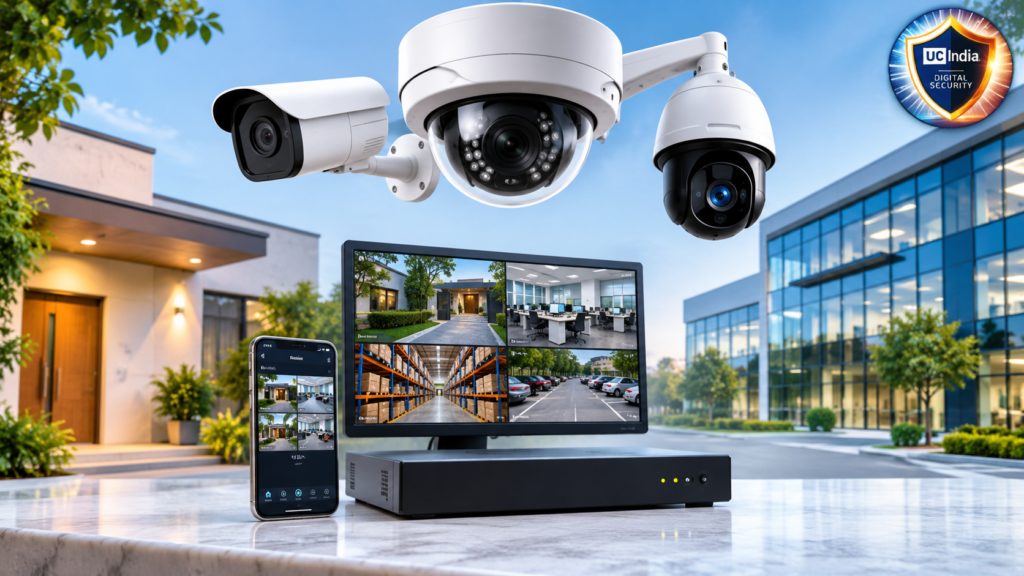
If you have a home, retail shop, office or warehouse, security is important. A good camera setup allows you to monitor activity, detect suspicious behavior and review recorded footage if necessary. That’s where IP surveillance systems come in.
Unlike traditional CCTV systems, IP cameras can transmit video over a network connection meaning they offer remote viewing, high resolution recording, smart motion detection and flexible storage options. When you are not at home, you can check on your place from a computer or smartphone.
But in terms of choosing the right system, it’s not just how many cameras you have. You have to think about where you want to place the cameras, quality of pictures, storage, network requirements and what you want to protect.
In this guide we will explain how IP surveillance works, how it compares with analog CCTV, the different types of cameras and what type of system you can opt for your home or business.
1. What is a surveillance IP system?
An IP surveillance system is a security camera system that uses Internet Protocol (IP) technology to capture and transmit video over a network. IP is Internet Protocol. It allows Internet-connected devices to talk to each other and exchange data.
Each IP camera captures video and transmits it over an Ethernet cable or wireless network to a recording device, server or cloud platform.
IP video surveillance systems can be used in home, office, retail stores, schools, hospitals, factories and warehouses.
Today, most systems offer high definition recording, remote access, motion detection and a selection of storage choices.
For example shopkeeper can put cameras at entrance, billing counter and storage area. They can watch the live feed from a mobile app or check past recordings if they need to.
2. How does an IP camera surveillance system work?
An IP surveillance camera system captures video, digitizes it, and transmits the data over a network.
It usually goes something like this:
Video Capture: Activity is captured by the IP camera’s image sensor and lens.
Digital processing: The camera processes and compresses the video you are recording.
Video transmission over the network: The video data travels through an Ethernet cable or Wi-Fi connection.
Video recording: Video is recorded on a Network Video Recorder (NVR), server or in the cloud.
Remote Monitoring: Live video and recordings can be viewed on a monitor, computer or mobile app.
Some systems also include motion detection and AI analytics in order to detect certain activities, such as movement in restricted areas or people entering a monitored area.
Remote viewing IP surveillance system – Watch your property from anywhere. But remote access also requires a well-configured network and secured access settings.
3. Old Style CCTV System Vs IP Surveillance System
IP cameras and analog CCTV cameras both monitor properties, but in a different way.
Older analog CCTV systems usually send video to a DVR over coaxial cables. IP cameras send digital video over a network, typically to an NVR.
This is a comparison to give you an idea.
IP-Surveillance System
Analog CCTV System
Video quality
HD, 4K and higher options
It is contingent upon the camera technology
Connectivity
Wireless LAN, Ethernet
Typically RG or coax cable
Tape recorder
NVR, Inc. (NYSE: NVR)
DVR (Digital Video Recorder)
Remote viewing
access to network
compatible with commercial DVR units
Clever features
Model enabled advanced analytics.
It is contingent upon the camera and the DVR.
Easily scalable
Flexible network extension
Open DVR channel
Inserted
Needs network planning.
needs co-ax cable
Price Price
It may cost more in the beginning
Usually low priced for base configurations
What to choose better CCTV camera or IP camera?
It is contingent upon what you want to do.
If you need high resolution video, network connectivity, monitoring features and flexible expansion, you usually want an IP camera.
Analog CCTV is still a good choice for properties with existing coaxial cable or basic surveillance needs.
If you are installing a new system and you would like to have advanced monitoring features, consider an IP security camera system.
4. Elements of an IP surveillance system
Before you begin buying equipment, it is important to understand the key components of a surveillance setup.
IP Cameras
The video machines. Depending on the location you can select from many camera designs – indoor, outdoor, dome, bullet, PTZ and others.
NVR (Network Video Recorder)
The NVR records the video from the IP cameras and writes that video to attached storage. Homes or businesses that want to record centrally often choose NVR-based IP surveillance systems.
PoE switcher
A Power over Ethernet (PoE) switch supplies power and network access to PoE compatible cameras over a single Ethernet cable.
You don’t need a power adapter for each camera.
Storage media:
We need a place for the footage. This will often include surveillance grade harddrives, networked storage and cloud storage services.
Dog Watch:
The monitor displays live camera feeds and recorded videos. It is especially useful for offices, security rooms, shops and warehouses.
Network/Router Link
The router links compatible cameras and recording devices to your home network. Also helps for remote monitoring when configured correctly.
Mobile application
Most manufacturers also offer mobile apps that enable you to view the live feed, receive alerts and play back recordings.
5. Benefits of an IP Surveillance System
There are many advantages of a good IP camera surveillance system over simple camera systems.
High Definition Video
Many IP Cameras can record in 4MP, 5MP, 4K and Full HD. The higher the resolution, the easier it is to make out details such as clothing, features on a vehicle and activity around an entrance.
The quality of the picture also depends on the camera sensor, lens, light and settings of the recording.
Remote Viewings/
Monitor your property from your smartphone, tablet or PC. This is helpful for frequent travelers who are home owners, business owners and managers.
Basic Expansion
You can scale a network based system by adding more compatible cameras as long as the NVR, network bandwidth and storage can handle the extra cameras.
Smart Alerts
Supported cameras can detect motion or intrusion, line crossing or any activity. Also, some of the models can recognize people and vehicles.
These features can help to cut down on nuisance alerts from simple motion detection.
Cloud Storage (e.g.
Some of the IP cameras have cloud recording support. This can be a backup recording option if the local recording device is destroyed or stolen.
Video analytics.
More advanced models offer people counting, vehicle detection and restricted area monitoring and are very useful in the commercial environment.
6. Types of IP Cameras for Surveillance
Cameras are designed in many different ways depending on what they are meant to do. The type of camera you need will depend on the area you want to monitor.
Model of the camera
Best for:
Key Features:
Indoor IP Camera
Home & Office
Indoor monitoring, compact design
Outdoor Security Cam
Entries and parking bays
Design for weather resistance
PoE IP camera
Businesses. Homes.
One cable for power and data
Wireless IP Cameras’
Small homes and adaptable spaces
Connecting wireless
IP PTZ Cameras
Large Facilities & Warehouses
Pan, tilt, zoom
IP Surveillance System Indoor
Indoor cameras are designed for indoor spaces such as living rooms, reception areas, offices and shops.
These are great for keeping an eye on doorways, customer spaces and other important indoor areas.
IP Outdoor Surveillance System
IP rating – This is a rating that tells how well an outdoor camera can handle environmental factors such as rain, dust and temperature variations.
They are often found at gates, building entrances, parking lots and warehouse perimeters.
PoE IP Surveillance Systems
A PoE IP camera surveillance system uses Ethernet cables to power and connect to the network.
This is a good option for sites that are larger and the cameras aren’t moving around.
IP surveillance system with Wi-Fi
A Wi-Fi IP camera streams video wirelessly. They are useful in places where it is difficult to run network cables.
Remember that wireless cameras need a good power source unless they’re battery operated. The Wi-Fi signal needs to be reliable for reliable video transmission.
Cameras Dome, Bullet, Fisheye & PTZ
PTZ Cameras: the camera can pan, tilt and zoom into specific areas.
Dome Cameras: Small dome shaped cameras are a common sight in offices and retail stores.
Bullet cameras: are cylindrical and are usually used for outdoor applications.
The fisheye camera has a wide angle view so it can see large areas from one point.
7. Home Security IP Video Surveillance System
Home surveillance systems can monitor entry points, common areas and outdoor spaces.
For a typical house, you might want to install cameras at:
- Front main gate and entrance
- garage or car park.
- Side and backyard access.
- Living rooms or other common areas as appropriate.
- Common access and stairs.
A home IP surveillance system should give you clear video, nite vision, motion alerts and easy mobile access.
In fact, a few well-placed cameras are much more effective than lots of cameras put in without proper coverage on smaller properties.
If you are going wireless, before you install it check the Wi-Fi signal at all camera locations.
8. Commercial & Business Building IP Surveillance System
Companies need to monitor at a finer level because they have to protect employees, customers, inventory, equipment and restricted areas.
The Business IP surveillance system helps to monitor the day to day activities and also serves as a recorded proof when incidents happen.
Retail Store & Showrooms
They can be installed in billing counters, display sections, entrances, stock rooms.
Office room
A surveillance system for the office can help secure reception areas, hallways, entrances and other common spaces.
Factories & Warehouse
A commercial IP surveillance system can monitor areas such as loading zones, inventory areas, production floors and the perimeter of a building.
Schools and Other Educational Institutions
“Cameras may monitor entrances, hallways, parking and common areas in compliance with privacy rights of students and staff.”
For larger sites, it is important to plan ahead for camera coverage, recording capacity and network bandwidth before buying equipment.
9. How to Choose the Best IP Surveillance System
Best IP Surveillance System Doesn’t Need to be the Most Expensive. This is the system that gives you the security you need, without the unnecessary cost.
There are a couple of important things to think about before you buy.
Pixels (Camera resolution)
Resolution is the amount of detail a video can show.
- 2MP / 1080p: Good for simple surveillance.
- 4MP – Adds detail for many common applications.
- 5MP and 8MP / 4K: More detail on your recordings is a good thing.
The higher the resolution, the more storage and bandwidth.
Vision nocturne
If you need to keep watch after dark, look for the camera’s infrared nite vision range and low light performance.
Some have added illumination in color nite vision.
See Field
Field of view : What a camera can see.
A wide angle lens will cover a wider area, a narrow lens might be better if you want to monitor a specific entrance or a subject at a distance.
Space for
Consider how much footage you want to save and for how many days.
The amount of storage you will need depends on a few factors. The number of cameras, the resolution and frame rate, the type of compression, the number of hours of video you wish to store and your motion triggered recording settings.
Network Speeds
Having multiple hi-res cameras can use a lot of network bandwidth.
Just be sure to check your router and switches and network infrastructure before plugging in multiple cameras.
Power Specs:
PoE cameras need compatible switches or injectors. Wired models may require power adapters and/or batteries.
Always have power when deciding where to place the camera.
10. Install IP Surveillance System Yourself or Hire a Pro?
Good cameras but proper installation is important as well.
Self-installable
The DIY installation is great for small homes and basic wireless setups.
it can help reduce labor costs but you still need to know about camera positioning, network configuration, storage settings and security
Installation by a professional
For offices, warehouses, schools and larger commercial properties, you might want to have a professional do the installation.
An installer can help with:
- Camera location and coverage planning.
- Ethernet cable management.
- Configuring the NVR and PoE switch.
- Storage setup
- Setting up the mobile app
- Check the video quality and ability to record.
How Much Does an IP Surveillance System Cost?
The cost of setting up an IP surveillance system depends on the number of cameras you require, the amount of cabling needed, the intricacy of the installation, the equipment you utilize, and the layout of your property.
11. Remote Viewing, Cloud and Local Storage NVR
Storage and remote access are two very important parts of any surveillance setup.
Remote Viewing (
IP surveillance systems allow authorized users to view camera feeds remotely using a mobile app or web interface.
Use strong passwords and other supported secure remote access functionality.
NVR local storage
An NVR stores video locally on hard drives connected to it.
Best for Users who want to record and manage all their video storage in one place.
6. Cloud storage
Cloud storage means storing the recordings in remote servers. This service may require active Internet connection and subscription.
Some users prefer to combine local and cloud storage for additional recording flexibility.
Before you decide, check out storage capacity, retention period, subscription costs and access requirements.
12. Legal issues, info security and privacy
Security cameras are meant to secure your property without infringing too much on the privacy of others.
Simply observe the following precautions:
- Immediately change default passwords on NVRs and cameras.
- Make sure important accounts have long complicated passwords.
- Always install firmware and security updates to keep your system current.
- Authorized users only.
- Do NOT directly connect your camera devices to the Internet. Use secure remote access.
How To Secure Your Network And Router.
Make sure you position the cameras so you don’t accidentally catch the neighbors’ private areas.”
Business should also have policies on the use of cameras and who has access to recorded films.
comply with all applicable Indian privacy and data protection laws, including applicable obligations under the Digital Personal Data Protection Act, 2023 and applicable rules. Check the legal requirements for your particular installation.
13. What Factors Determine the IP Surveillance System Cost?
The price of an IP surveillance system will vary depending on the equipment, features and installation requirements.
There is no fixed price because every property is different.
The key cost drivers are:
Number of Cameras: The more cameras you have, the more expensive the equipment and installation will be.
Resolution: Higher resolution can add cost and storage requirements.
Camera Type: PTZ and analytics cameras are usually more expensive than basic fixed cameras.
NVR capacity: More channels and advanced features on recording devices can be attributed to higher prices.
Storage: Larger hard drive means more recording space which means more money.
PoE switches, routers, cables and accessories all impact the price. Networking:
Installation: The cost is determined by the property size and the complexity of the wiring.
Cloud subscriptions: Some makers charge a monthly fee for cloud recording and advanced features.
When comparing quotes, check what’s included.” The low price on the equipment may not include cabling, storage, installation or configuration.
You should compare the whole package, not just the prices of individual cameras.
14. Mistakes to Avoid Before You Buy
Most of the surveillance problems arise from buyers focusing on price or number of cameras.
Steer clear of these errors:
- Cameras purchased without regard to the resolution and nite vision.
- Installing cameras with no plan for coverage.
- Blind spots at entrances and corners not taken into account.
- Small capacity DVR – large installation
- Not knowing what bandwidth will be needed for the network.
- Using default or easily guessed passwords.
- Indoor cameras used outdoors.
- Not counting the requirement for weather protection.
- Future expansion needs were not taken into consideration.
- Not checking compatibility with cameras, NVRs and network equipment.
A little planning before you buy can save you money later.
15. Checklist for Buying IP Surveillance System
Review this checklist before you finish your surveillance setup.
Areas to watch:
- How many cameras do you need? Calculate.
- Choose a resolution for your camera.
- Check out the low light performance, the nite vision.
- Choose a camera for indoors or outdoors.
- PoE vs Wireless Comparison
- Check if NVR supports it and has enough channels.
- Figure out how much you need to hold.
- Network and Router Speed Test
- Check power requirements.
- Test mobile view and notice function.
- See cloud and local storage.
- Support, warranty & firmware updates.
- Plan for installation and development.
- Compare total price of the system.
This buying guide for IP surveillance systems will help you to get the right gear for your property, budget and monitoring needs.
16. IP Surveillance Systems FAQs
1. What is an IP surveillance system for?
IP surveillance systems are used to monitor homes, offices, shops, warehouses, schools and other premises. It records digital video which can be watched live or stored for later viewing.
2. IP surveillance systems are better than analog CCTV systems.
While IP systems are generally more flexible, with greater network capabilities and high resolution recording options, analog CCTV may still be a good option for simple surveillance or properties with existing coaxial infrastructure.
3. Can I watch my IP cameras on my cell phone?
Most IP cameras and NVRs will work with a mobile app that lets users view live video, pull up recordings, and receive alerts from anywhere.
4. Do IP Cameras need internet?
Yes, Local network IP cameras can work without internet as long as the network and recording device are properly set up. Remote viewing from outside the premises however usually requires internet access.
5. How much storage do I need for an IP camera surveillance system?
The storage space required depends on the number of cameras, resolution, frame rate, compression, recording schedule and retention period. The more cameras you have or the longer you want to record the more storage you will need.
6. PoE or Wireless IP surveilance system? Which is best?
Because PoE systems can provide both power and network connectivity on a single cable, they are often the preferred option for permanent installations. Wireless systems are great for when you can’t run cables, but they depend on good wi-fi and a decent power supply.
7. How long do IP cameras store video?
You are able to configure the IP cameras to record all the time or only when there is motion. The recording length depends on the recording settings and the storage size.
8. What to Consider When Choosing an IP Security Camera System
Consider resolution, nite vision, field of view, storage compatibility, network requirements, power options, remote access, security features, and total installation cost.
Summary
When picking the right IP surveillance systems, you have to look ahead and know what is it that you need to protect on your property. Whether you need cameras for a small home, retail shop, office, school or warehouse, the right mix of camera types, resolution, storage and network connectivity can be the difference.
PoE vs wireless – compare before you buy. NVR compatibility check. Finite vision is considered. Plan camera placement so there are no blind spots. And consider password protection, software updates, privacy requirements.
Most importantly, don’t select a system based on how many cameras you can get or the cheapest price point. Look for good recording, good coverage, reliable remote access and scalability.
Then evaluate the spaces you want to monitor and decide on the appropriate camera coverage to improve your property’s security. Compare local NVR and cloud storage options and consider the overall cost of installation. Select an IP surveillance system that is within your budget and meets your security needs, but also offers reliable monitoring for the long term.